



















8 Ball Stripes
- Developer
- 8 Ball Stripes
- Released
- 19 Jun 2026
- Platform
- Browser
About 8 Ball Stripes
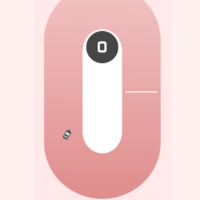
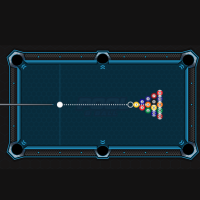
8 Ball Stripes is a clean, modern HTML5 billiards game that lets you test your pool skills either against the clock or head-to-head with a friend. Whether you are aiming for a quick solo challenge or looking to dominate a local matchup, the smooth physics and crisp design deliver a satisfying table experience right in your browser.
Game Modes
-
Player vs Timer: Race against the clock! Sink as many balls as you can before the time runs out. Every successful shot keeps you alive, making precision and speed equally vital.
-
Player vs Player: The classic local multiplayer experience. Challenge a friend sitting right next to you in a turn-based battle of strategy, positioning, and skill to see who can clear their balls and pocket the 8-ball first.
Game Controls
The game features intuitive controls designed for smooth aiming and power adjustments:
????️ Desktop (Mouse & Keyboard)
-
Aiming: Move your Mouse around the screen to rotate the pool cue and align your shot line.
-
Setting Power: Click and drag the cue stick backward to adjust the force of your shot, then release to strike. Alternatively, use the power meter on the side of the screen.
-
Fine-Tuning (If applicable): Use the Arrow Keys for pixel-perfect adjustments to your trajectory.
???? Mobile & Tablet (Touch Controls)
-
Aiming: Drag your finger anywhere on the screen to rotate the cue stick and guide your targeting line.
-
Setting Power: Pull back on the virtual cue stick or adjust the touch-based power slider on the interface, then lift your finger to take the shot.
????️ On-Screen Interface Buttons
-
X Button (Bottom Left): Exit the current game session or return to the main menu.
-
Expand Button (Bottom Left): Toggle full-screen mode for an immersive, distraction-free gaming experience.
-
Music Note (Bottom Right): Toggle the background music tracks on or off.
-
Speaker Icon (Bottom Right): Mute or unmute the game's sound effects (SFX), such as the clack of the billiards balls.